PREMIUM COLLECTION
Certified Authentic
Luxury Watches • Pens • Bags
Curated premium collections for discerning enthusiasts worldwide
curated-collections-app.lovable.app
Watches
Pens
Bags
EXPLORE
Showing posts with label AI Toolbox. Show all posts

Thursday, December 11, 2025

Beyond ChatGPT: 5 Free AI Tools Powering 2025 (You Haven’t Heard Of)

You don’t need to stick with Chat GPT to get big wins in 2025. Many free AI tools now handle specific tasks—like making short videos, transcribing meetings, building simple apps, or fine-tuning models—that save you time and cut costs. This post highlights five lesser-known, no-cost tools that can quickly boost your productivity and creativity without a steep learning curve

You’ll get practical comparisons, tips for using these tools safely, and clear steps to make them work for your projects in the US or anywhere else. Keep reading to find the right free tool for editing videos, automating meeting notes, creating apps without code, and more.

Why Look Beyond Chat GPT for Free AI Tools?

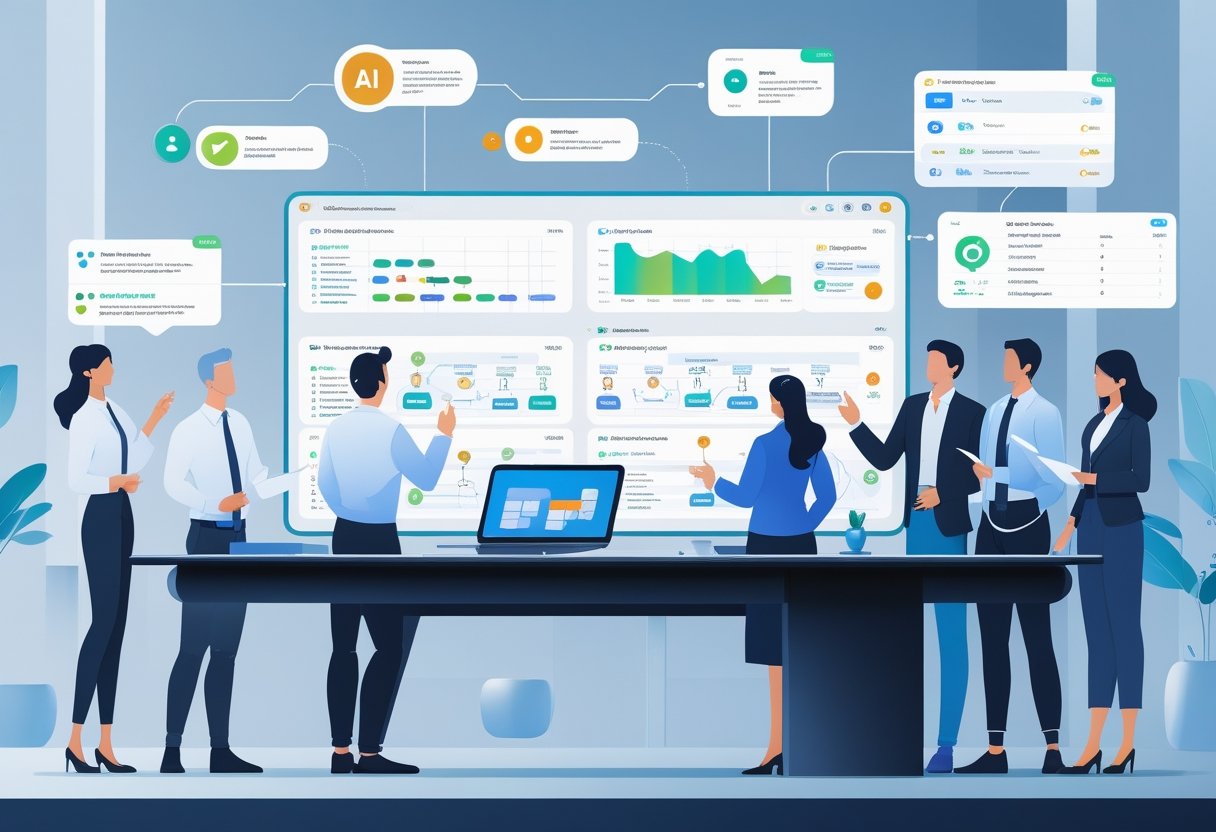
A group of professionals collaborating around a futuristic touchscreen table displaying holographic AI tool icons and digital data in a high-tech office.

You want tools that solve specific tasks faster, save money, and plug into your workflow. The next paragraphs explain where newer free AI tools add real value, what common chatbots miss, and which trends shape better options.

Expanding AI Capabilities in 2025

You now have access to free AI tools that do more than chat. Some offer live web search with citations so you can verify news or data instantly. Others focus on image generation with advanced style controls, or on code completion inside your editor so you don’t copy-paste between apps.

These specialized tools often give higher-quality outputs for one task. For example, a research assistant will fetch and cite sources, an art generator will let you tweak lighting and brush style, and a voice-cloning service will produce natural prosody you can download. Using the right free AI tool for the job cuts errors and saves time.

Limitations of ChatGPT and Popular AI Chatbots

ChatGPT and many mainstream AI chatbots work well for general writing and brainstorming but still fall short in some areas. The free ChatGPT model usually lacks real-time web access and built-in media generation. That means outdated facts and no direct image, audio, or IDE plugins without extra steps.

You also face workflow friction: craft prompts in one window, generate code or assets in another, and reformat everything manually. Privacy and data-handling rules vary by platform, so you must check terms before uploading sensitive material. For task-specific needs, a dedicated free AI tool often outperforms a general conversational AI.

Emerging Trends in AI-Powered Tools

You should watch tools that combine narrow expertise with easy access. Expect more web-enabled assistants that cite sources, multimodal generators that produce images and audio from one prompt, and free coding copilots built into editors. Many free tiers now include meaningful daily credits or fully functional features aimed at professionals and students.

Personalization and agent-style automation are growing too. You can create shortcuts or small agents that handle recurring tasks—like summarizing daily news with sources or auto-generating pull-request comments. These trends mean free AI tools can become reliable parts of your toolkit, not just experimental toys.

Top 5 Free AI Tools Powering 2025

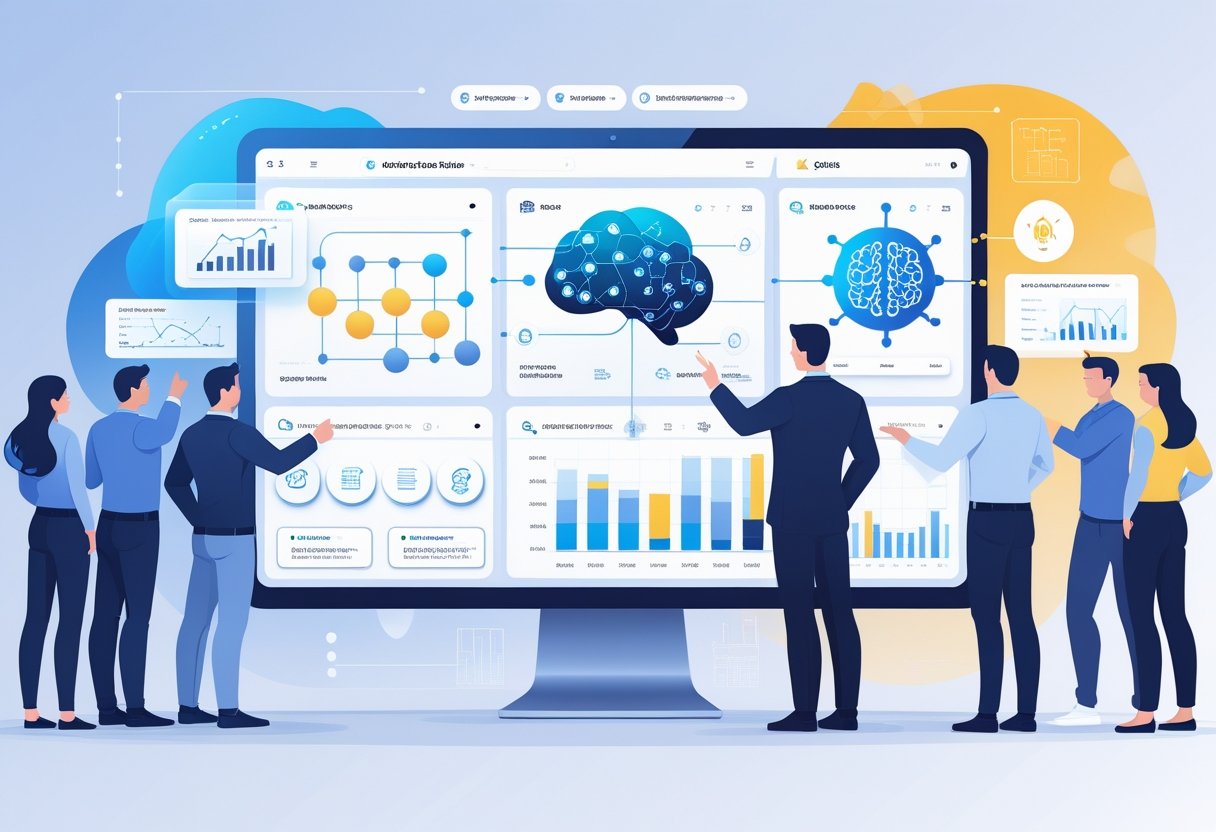
A futuristic workspace showing five glowing holographic icons representing advanced AI tools floating above a modern desk in a clean office setting.

These tools help you create video, build a website, generate voices, design a brand, and write code — all with free tiers that let you start fast and scale later.

Runway ML: AI Video Generation for Everyone

Runway ML gives you browser-based tools to make and edit video with AI. You can turn text prompts into short clips, remove backgrounds, and apply motion or style transfer without a heavy GPU. The interface includes a timeline, layers, and export options that match common formats for social or web use.

Key features to use:

  • Text-to-video prompts and scene generation.
  • Green-screen background removal and object tracking.
  • Prebuilt models for stylization, slow motion, and frame interpolation.

You pay only when you need high-resolution exports or more compute. For creators, Runway speeds up prototyping, cuts editing time, and helps you test visual ideas before a full production.

Durable: Instant Website Creation With AI

Durable aims to build a simple, professional website in minutes using an AI assistant. You give it your business name, industry, and a few lines about services. Durable then generates homepage copy, service pages, images, and a working contact form you can publish instantly.

What matters most:

  • One-click site generation from prompt inputs.
  • Built-in SEO basics and fast hosting.
  • Templates you can edit; export options or custom domain support.

The free plan covers basic sites and lets you experiment without cost. Durable helps small businesses and freelancers get online quickly, especially if you lack design or developer skills.

ElevenLabs: Next-Gen Voice Generation and Cloning

ElevenLabs focuses on high-quality text-to-speech and voice cloning that sounds natural and expressive. You can convert scripts to audio with control over tone, pacing, and emphasis. The cloning feature needs a short sample to create a custom voice model for narration, ads, or character dialogue.

Practical points for use:

  • Wide selection of natural voices across languages.
  • Emotional and prosody controls for realism.
  • Free tier with limited generation minutes; paid plans add cloning and commercial rights.

Use ElevenLabs for podcasts, video narration, or prototyping audio UX. It saves time compared with hiring voice talent and gives you repeatable, editable voice output.

Looka: AI-Driven Brand Identity & Logo Design

Looka uses AI to generate logos and a full brand kit based on your inputs. You type your company name, choose styles, and the tool produces dozens of logo concepts. It also offers color palettes, font pairings, and sample mockups for social profiles and print.

How it helps your brand:

  • Rapid logo generation with iterative edits.
  • Comprehensive brand kits including SVGs and usage guidelines.
  • Low-cost licensing options; free previews before you buy.

You can test multiple visual directions quickly. Looka speeds up the early branding phase and gives you downloadable assets to use across web and marketing channels.

Replit: AI Coding Assistant for Developers

Replit blends an online IDE with AI coding help that runs in your browser. The AI assistant suggests code, completes functions, and can generate project scaffolding from a simple description. It supports many languages and lets you run code instantly on Replit’s cloud machines.

Essential capabilities:

  • Inline code suggestions and whole-file generation.
  • Turn a plain-text prompt into a runnable app or API.
  • Free tier with limited compute and multiplayer collaboration.

Replit reduces setup friction and helps you prototype faster. It’s useful for learning, hackathons, and building small to medium apps without installing tools locally.

Comparing Free AI Tool Alternatives

These tools trade depth for focus: some give live web answers, others create images or speed up your workflows. Pick based on the exact task—research accuracy, image style, or automation—and the integrations you need.

AI Writing Assistants and Productivity Tools

You can choose assistants that edit, brainstorm, or draft inside apps you already use. Grammarly and Notion AI focus on polishing and organizing text; Grammarly tightens grammar and tone, while Notion AI helps turn notes into outlines and short drafts inside your workspace. Tools like Jasper and Writesonic target marketing copy and long-form drafts with ready-made templates and SEO options.

Perplexity AI fills a different gap by giving fast, sourced answers you can cite when you write. If you need up-to-date facts for a report or essay, Perplexity’s web access beats offline LLMs. For slide-first storytelling, Tome lets you convert text and images into visual narratives quickly. Match the tool to your workflow: pick Grammarly or Notion AI for daily writing, Jasper/Writesonic for marketing, and Perplexity when you need current, citable information.

AI Image Generators and Creative Design

If your priority is image style and control, compare the output and prompt controls closely. MidJourney leans toward artistic, high-contrast imagery that suits concept art and mood boards. DALL·E offers cleaner, realistic renders and strong inpainting for product mockups.

Look at prompt features and asset export. Some generators give layered outputs or style tokens so you can replicate a look across images. Also check usage rights and free-credit limits; free tiers often cap high-resolution downloads. Use MidJourney for stylized pieces, DALL·E when you need precise realism, and combine with tools like Tome for visual storytelling that merges text and images.

AI-Powered Workflow Automation

Automation tools let you link AI actions to real apps and save time on routine tasks. Pick solutions that integrate with the apps you use—email, docs, Sheets, or project boards. Notion AI and Tome offer internal automations for content flows, while standalone automators or low-code platforms can trigger AI drafting, image creation, or summarization as part of a pipeline.

Focus on connectors and privacy. If you work with sensitive data, inspect each tool’s data handling and whether processing happens in your environment. Also test latency: some free services queue requests and slow down when demand spikes. Choose a tool that supports the apps you use, respects data security needs, and scales within the free quota before you invest in paid tiers.

Key Considerations When Using Free AI Tools

Free AI tools can save money and speed work, but they also require careful choices about data, features, and reliability. Pay attention to what you share, which capabilities are unlocked, and how often the service performs as expected.

Data Privacy and Security Best Practices

Check each tool’s privacy policy before uploading sensitive files. Look for statements on data retention, whether the provider trains models on user data, and options to opt out. If a tool stores data in the US or uses third-party services, confirm compliance with any laws that apply to your work.

Use minimal data when testing. Strip names, account numbers, or proprietary code from examples and use placeholders. For voice or image tools, avoid uploading identifiable personal data unless you control the privacy terms.

Enable account security measures. Turn on strong passwords and two-factor authentication when available. If a free AI tool offers enterprise or paid tiers with better security, weigh that cost against the risk of exposing confidential material.

Understanding Free vs. Paid Features

Free plans often limit model access, speed, and usage caps. For example, a free tool might give access to smaller models while paid tiers unlock larger models like GPT-4o or enhanced multimodal features. Expect lower priority during peak hours and fewer API calls on free plans.

Compare feature lists before you commit. Look for differences in data handling, export options, and integration with services you use daily—such as Google Workspace or code editors. Some free AI-powered tools let you test capabilities but restrict commercial use or remove citation features.

Watch for hidden costs. Free credits, rate limits, and pay-as-you-go pricing can become expensive if you scale usage. If you rely on a tool for production work, calculate monthly costs for the paid tier you’d need to avoid surprises.

Reliability and Performance Insights

Test response quality across tasks you care about. Evaluate factual accuracy, timeliness (especially for fast-changing topics), and how often the tool cites sources. Tools that pull live web data perform better for current events; others may use static training sets and lag behind.

Measure uptime and latency. Free AI tools can throttle responses under load, which affects deadlines. Run sample workloads at different times to see real-world performance.

Monitor model behavior and versioning. Providers update models frequently; some may move from older models to new ones without notice. Track which model a tool uses and whether that model is known for hallucinations or strong code generation. If you depend on consistent outputs, prefer services that document version changes and provide SLA or status pages.

How to Maximize Value From Free AI Tools in 2025

Free AI tools can save you time, cut costs, and fill skill gaps when you pick the right mix and connect them sensibly. Focus on tools that handle clear tasks—meeting notes, image generation, research—and stitch them into a simple, repeatable workflow.

Building an Efficient Multi-Tool Workflow

Map tasks to tools before you start. Use an AI assistant like Fireflies.ai for meeting transcripts, Perplexity for research, and an image tool like Midjourney for visuals. Put this mapping in a one-page guide you follow each week.

Automate handoffs. Export transcripts to a task manager or Google Docs, then feed summaries into Gamma to build slides or Pictory to make short videos. Use integrations (Zapier, native APIs) so data moves without copying and pasting.

Keep file naming and versioning strict. Use date+project+tool (e.g., 2025-12-31_ProjectX_Fireflies.txt). This makes it easy to find assets for reuse on Twitter or in campaigns.

Combining AI Tools for Productivity and Creativity

Chain tools to gain more than each can do alone. For example: use Perplexity to gather facts, summarize them with ChatGPT, then generate visuals in Midjourney for social posts. This sequence turns research into publishable content fast.

Balance creative and factual checks. Let image models make concept art, but verify claims with an answer engine. Use AI-powered tools differently: one for speed, another for accuracy. That keeps your brand reliable.

Create templates for repeated tasks. Save prompts and slide templates in Gamma, caption styles for Pictory, and Tweet formats for Twitter threads. Templates cut time and keep quality steady.

Smart Tips for Choosing the Right Tools

Prioritize tools with generous free tiers and clear export options. Free AI tools often limit usage—pick those that let you download transcripts, images, or raw data so your work isn’t locked in.

Test three tools for one job, then pick the best two. Compare speed, accuracy, and integration ability. Track cost-to-time saved in a simple spreadsheet for one month.

Watch privacy and terms. If you handle client data, pick AI tools with clear policies and opt for local export or paid plans that guarantee data controls. That prevents surprises and protects your clients.

Frequently Asked Questions

This section answers specific, practical questions about free AI tools for 2025. You’ll get names, feature differences, use cases, and where to learn more.

What are some lesser-known free AI tools that enhance productivity?

Perplexity AI helps you research by summarizing web sources and citing them. It speeds up market research and fact-checking.

Gamma can create full presentations from a single prompt. It saves hours on slide design and layout.

Fireflies.ai joins meetings to transcribe and produce summaries. It reduces time spent on note-taking and follow-ups.

Codeium offers free code completions and search for developers. It helps you write and review code faster.

How do the new AI tools compare with ChatGPT in terms of features?

ChatGPT excels at general writing, editing, and conversational tasks. It performs well across many use cases but is not specialized.

Perplexity focuses on real-time web research and sourcing. It gives you concise answers with clickable citations.

Midjourney and image generators produce high-quality, custom visuals. They outperform general chat models at image creation.

Specialized tools like Gamma and Pictory automate design and video creation. They handle layout, media, and editing in ways ChatGPT does not.

Can you recommend some advanced AI tools for content creation that are free?

Pictory converts long text or recordings into short videos with captions and stock clips. Use it to repurpose blog posts into social clips.

Midjourney (free trial options) and other image AIs create unique visuals for blogs and ads. They give you original hero images and concepts.

Voicemaker.ai and similar voice tools offer free tiers for generating voiceovers. They help you add narration to videos and presentations.

Gamma provides interactive, designed decks from text prompts. It speeds proposal and pitch creation.

Are there any groundbreaking AI technologies in 2025 that offer unique functionalities?

Real-time answer engines like Perplexity combine web search and synthesis. They provide sourced summaries instead of link lists.

AI that auto-generates whole media workflows—text to video, slides, or images—now exists. These tools chain steps that used to require manual work.

Multimodal models can accept images, text, and sometimes audio at once. They let you give mixed inputs for richer outputs.

What AI applications can assist with daily tasks and are accessible without charge?

Fireflies.ai automates meeting transcripts and action items. You can save hours weekly on note-taking.

Free layers of Codeium help you code, debug, and search codebases. They streamline daily developer work.

Perplexity and other research AIs let you get quick, sourced answers for reports and decisions. They reduce time spent clicking through links.

Basic tiers of image and voice tools let you produce visuals and audio for posts and presentations at no cost.

Where can one find video tutorials for the top new AI tools available?

YouTube hosts channel playlists and creator walkthroughs for tools like Perplexity, Gamma, and Midjourney. Search the tool name plus “tutorial” or “getting started.”

Official tool websites often link to tutorials and webinar recordings. Look for “Docs,” “Learn,” or “Resources” pages.

Community forums and Discord servers for each tool share use-case videos and prompt examples. They offer quick, practical help from other users.

Wednesday, December 10, 2025

Windows vs. Mac: Comparing AI Tool Performance

Are you stuck deciding between a Mac or a Windows PC for your AI work? It's not just about what you like better. It's about finding the right fit for your digital life.

The gap in AI tools performance between MacOS and Windows is growing. New AI tools are being made to use each platform's strengths. This makes picking the right one even more important.


The ecosystem you choose affects how well you work. As we explore the differences, you'll see which platform is best for your AI needs.

Key Takeaways

  • Understanding the performance differences between MacOS and Windows for AI tools.
  • The importance of choosing the right ecosystem for your digital lifestyle.
  • An overview of the latest AI tools and their compatibility with each platform.
  • Factors to consider when deciding between Mac and Windows for AI-driven workflows.
  • Insights into the future development of AI tools on both platforms.

The Rise of AI in Personal Computing

AI is changing the world of personal computing. It's making both Windows and Mac better, making our lives easier and more productive.

How AI Has Transformed Modern Operating Systems

AI has made operating systems smarter. For example, Windows has Microsoft Copilot to help with tough tasks. Mac has Apple Intelligence for better performance.

The Growing Demand for AI-Powered Productivity

More people want tools that use AI to work better. Windows fans like NVIDIA GPUs for fast computing. Mac users enjoy Apple Silicon for its mix of speed and saving energy.

AI helps a lot in work, like:

  • Automating tasks
  • Improving data analysis
  • Managing work better

As AI gets better, we'll see even more cool stuff for Windows and Mac. It will make our work and lives even better.

Hardware Foundations for AI Performance

AI performance on personal computers depends a lot on the hardware. This includes the CPU, GPU, and NPUs. The computer's hardware is key for running AI tools well.

CPU and GPU Capabilities Comparison

The CPU and GPU are vital for AI tasks. CPUs handle many tasks at once, while GPUs excel in parallel processing. Apple Silicon, like the M1 and M2 chips, combines CPU and GPU for better performance. Windows PCs, on the other hand, offer a wide range of CPU and GPU options, from affordable to high-end like NVIDIA's GeForce RTX series.

FeatureApple Silicon (Mac)Windows PCs
CPUUp to 10 coresUp to 24 cores
GPUUp to 38 coresUp to 128 cores (NVIDIA)
NPU16-core Neural EngineVariable (depending on manufacturer)

Neural Processing Units: Apple Silicon vs. Windows NPUs

NPUs are chips that speed up AI tasks. Apple's Neural Engine is a dedicated NPU in Apple Silicon chips, making AI processing efficient. Windows PCs also have NPUs, often in SoCs from Qualcomm and AMD. Apple's NPUs are tailored for their system, while Windows NPUs' performance varies with the hardware.

When deciding between Windows or Mac for AI, knowing these hardware differences is key. To AI decide between Windows or Mac, look at how these components support AI apps.

Which One Better: Windows or Mac Based on AI Tools

Choosing between Windows and Mac for AI depends on the AI tools you need. Both have improved a lot in AI performance. But, there are differences that affect your work.

Performance Benchmarks for Common AI Tasks

Testing AI tasks shows Macs with Apple Silicon chips work well. They're great for tasks like image recognition and natural language processing. Windows machines, with NVIDIA GPUs, do better in tasks like training deep learning models.

AI TaskMac (M1/M2)Windows (NVIDIA GPU)
Image Recognition8/109/10
Natural Language Processing8.5/109.5/10
Deep Learning Model Training7/109.5/10

Platform-Specific AI Advantages

Each platform has its own AI benefits. Macs work well with other Apple devices, perfect for Apple fans. Windows offers more hardware choices, great for those with specific needs.

In summary, picking between Windows and Mac for AI depends on your needs. Knowing each platform's strengths helps you choose the best for your AI work.

Latest AI Development Frameworks Performance

AI technologies are moving fast. It's key to know how Windows and Mac compare in AI frameworks. The right framework can make AI apps work better and faster.

TensorFlow and PyTorch Implementation Differences

TensorFlow and PyTorch are top AI frameworks. TensorFlow works well on many platforms, thanks to its wide support. PyTorch is easy to use and great for quick prototyping.

On Windows, TensorFlow is often chosen because of its strong support and Microsoft's help. But, PyTorch is getting popular on both Windows and Mac. It's known for its dynamic graph and fast development and research support.

ONNX Runtime and Cross-Platform Compatibility

ONNX (Open Neural Network Exchange) runtime is key for working across platforms. It lets models trained in one framework run in another. This way, developers can use the best of different frameworks.

Windows and Mac both support ONNX, but how well it works can vary. For example, Microsoft has made ONNX run better on Windows for some AI tasks.

Stable Diffusion and Generative AI Development

Stable Diffusion has changed generative AI, making high-quality images and content possible. Both Windows and Mac can run Stable Diffusion, but how well it works depends on the computer's hardware.

But, Windows machines with top GPUs can also do great. So, whether to use Windows or Mac depends on what your project needs.

In short, picking between Windows and Mac for AI development depends on the frameworks and tools you use. Knowing the good and bad of each platform helps developers choose the best for their AI projects.

Machine Learning Tools Comparison

Windows and Mac have different tools for machine learning. These tools meet various needs and tastes. It's key to look at the tools and how well they work when picking an operating system for ai analysis and development.

Jupyter Notebooks and Data Science Libraries

Jupyter Notebooks are vital for data scientists on both Windows and Mac. Both systems support big data science libraries like NumPy, pandas, and scikit-learn. But, Windows users might find it simpler to install these libraries with tools like Anaconda. Mac users often use Homebrew package managers.

AutoML Tools: Azure ML vs. Create ML

For automated machine learning (AutoML), Windows users have Azure ML. It's great for training and deploying models. Mac users can use Create ML, which is easy to use for building and training models. Both tools make machine learning easier, but the right choice depends on your ai technology needs.

Model Training and Inference Speed

Speed in training and using models is very important in machine learning. Windows machines, with NVIDIA GPUs, usually train models faster. But, Macs with Apple Silicon are catching up. Important things to think about include:

  • Hardware acceleration support
  • Optimized software frameworks
  • Memory and storage configurations

In the end, whether to use Windows or Mac for machine learning depends on your project's needs and your preferences.

Large Language Models and Chatbot Development

Large language models and chatbots are changing how we work and talk. They are big news for both Windows and Mac users. These AI tools make our computers work better and change how we use them.

ChatGPT Integration and API Performance

ChatGPT is key in AI chatbot development. It works differently on Windows and Mac. For example, Windows users get Microsoft's Copilot. It can summarize documents, make images, and help with coding.

Mac users use Apple's AI tools, like Apple Intelligence. This gives them a smooth AI experience. Even though both platforms are strong, Windows might have a tiny advantage because it works with more hardware.

FeatureWindowsMac
ChatGPT IntegrationSeamless with Microsoft CopilotIntegrated with Apple Intelligence
API PerformanceRobust, with broad hardware supportOptimized for Apple Silicon

Local LLM Deployment: Llama, Claude, and Mistral

Using local LLMs like Llama, Claude, and Mistral gives users control over their AI. Mac users like Llama because it works well with Apple devices. Windows users prefer Claude because it fits well with Microsoft's tools.

"The flexibility of local LLM deployment is key for developers wanting to customize AI for their needs."

Text Generation and Analysis Tools

Tools for making and analyzing text are important in LLM apps. Microsoft Azure AI and Apple's Create ML are top choices. Azure AI has more features for detailed text analysis.

AI Decision on Windows or Mac

Choosing between Windows and Mac for AI depends on what you need. Both have their strengths. The best choice is based on your specific needs.

Computer Vision and Image Generation Tools

AI-driven tools are changing how we make and use visual content. These tools are getting better, with many features for different needs.

DALL-E, Midjourney, and Stable Diffusion Performance

DALL-E, Midjourney, and Stable Diffusion are top AI models for making images from text. They work on both Windows and Mac, but performance can change with hardware and software.

Comparison of Image Generation Tools:

ToolWindowsMac
DALL-EHigh-quality images, GPU-intensiveOptimized for Apple Silicon, efficient performance
MidjourneyRobust community features, varied outputSeamless integration with macOS ecosystem
Stable DiffusionCustomizable models, open-sourceOptimized for Metal API, fast rendering

Video Generation and Processing with Runway ML

Runway ML has AI tools for video work, like text-to-video and editing. It works well on both Windows and Mac, with some features better on certain hardware.

Choosing between Windows and Mac for visual tasks depends on your project needs. Both have great tools, but the best choice is based on your specific needs and how you work.

Creative AI Applications Comparison

The creative industry is changing fast with AI technology. It's now in many apps on Windows and Mac. Knowing the differences between these platforms helps creative pros make better choices.

Adobe Firefly and Creative Cloud AI Tools

Adobe Firefly is part of Creative Cloud. It uses AI for graphic design, video editing, and photography. Firefly's AI tools make work easier by doing tasks like content-aware fill and style transfer.

While it works on both platforms, some features are better on Mac. This is because Mac is more common in creative fields.

Music Production with AI: Logic Pro vs. Ableton

AI is changing music production for artists. Logic Pro on Mac has cool AI tools like Logic Pro's ChromaGlow plugin. On Windows, Ableton is popular with AI features like Max for Live.

Both platforms have strong AI tools for making music.

Video Editing with AI: Final Cut Pro vs. Premiere Pro

AI is making video editing better. Tools like Final Cut Pro's AI color grading and Premiere Pro's Auto Reframe are game-changers. Final Cut Pro is only for Mac, but Premiere Pro works on both.

Choosing between them depends on your setup and what AI features you need.


Productivity and Business AI Tools

AI tools are changing how businesses work, with Windows and Mac leading the way. They make office work and decision-making better across many fields.

Microsoft Copilot vs. Apple Intelligence

Microsoft Copilot and Apple Intelligence show two ways to use AI for work. Microsoft Copilot works well with Microsoft 365, adding smart features to Word and Excel. Satya Nadella says AI is more than a tool; it's a new way to work and live.

"The best way to predict the future is to invent it."

This idea is seen in Copilot's ability to do tasks and give smart ideas.

Apple Intelligence aims to make Apple devices work better together, using AI. The battle between these two is pushing innovation, helping both businesses and people.

AI-Enhanced Office Suites and Workflow Automation

Windows and Mac have AI tools in their office suites, changing business work. Microsoft 365 has AI for data and documents. Apple's iWork is getting smarter with AI tools too.

AI is also changing workflow automation. Tools like Zapier and Microsoft Power Automate help make complex workflows easy. Forrester says using AI in workflows boosts productivity and efficiency.

Choosing the right AI tools is key for businesses. Whether you pick Windows or Mac, the right tools can make a big difference in work efficiency and success.

AI Gaming and Entertainment Performance

AI is changing the gaming world, making the choice between Windows and Mac more important. It brings better graphics, smoother play, and deeper experiences.

NVIDIA DLSS vs. Apple's MetalFX Upscaling

NVIDIA's DLSS is a big win for Windows users, boosting game performance. Apple's MetalFX upscaling gives Mac users a graphics edge. DLSS uses AI for better frame rates, while MetalFX uses a traditional method for graphics.

AI Gaming Performance Comparison

AI-Enhanced Gaming Experiences on Both Platforms

Both Windows and Mac offer AI-enhanced gaming. But, the level of improvement differs. Windows is best for serious gamers, with lots of AAA games and Game Pass. Mac users can enjoy AI games, but with some limits.

Choosing between Windows and Mac for AI gaming depends on your needs. Windows is great for a wide game library and advanced AI like DLSS. Mac is good for those in the Apple ecosystem, wanting a smooth gaming experience.

Cost-Benefit Analysis for AI Users

It's key to understand how AI on Windows and Mac affects your work. You need to look at several things that affect your wallet.

Initial Investment for AI-Ready Systems

Starting with AI on Windows or Mac costs differently. Windows has more hardware options, making it cheaper to begin. Mac, though, might cost more upfront but promises top performance.

Ongoing Costs: Subscriptions and Upgrades

Long-term costs, like AI service subscriptions and hardware updates, vary too. Windows users might save money by upgrading parts separately. Mac users might spend more because of its all-in-one design.

ROI for Different AI Use Cases

The return on investment (ROI) for AI changes based on how you use it. Creative folks might get more value from Mac for tasks like video editing. But, Windows could be better for AI development.

PlatformInitial CostOngoing CostsROI
WindowsVariable, potentially lowerFlexible, potentially lowerHigh for development and gaming
MacGenerally higherHigher due to integrated designHigh for creative professionals

Conclusion: Choosing the Right Platform for Your AI Workflow

Choosing between Windows and Mac for AI tools depends on your needs. It's about what you need and what you're already using. The choice often comes down to the platform you're targeting, the tools you need, your team, and your hardware preferences.

Think about your workflow to decide between Windows and Mac. If you're all in on Apple and want everything to work together smoothly, Mac might be for you. But, if you need more hardware options and flexibility with AI tools, Windows could be the way to go.

Ultimately, your decision between Windows and Mac depends on your AI workflow. Consider your projects, software, and hardware needs. Making this choice will help you meet your goals and work more efficiently.

Wednesday, December 3, 2025

AI-Powered Web and App Builders: Simplify Your Digital Presence

Are you tired of struggling to establish a digital presence for your business? Creating a website or application can be a daunting task. But, with artificial intelligence technology, building a digital presence is now easier than ever.


Hostinger says an AI website builder uses artificial intelligence to make a custom site from scratch. This means businesses can now make professional-looking websites and apps without needing to know how to code.

Key Takeaways

  • AI-powered builders simplify the process of creating a digital presence.
  • Artificial intelligence technology generates custom websites and applications.
  • Businesses can establish a professional online presence without coding knowledge.
  • AI website builders provide a user-friendly and efficient solution.
  • Custom sites can be created from scratch using AI technology.

The Digital Presence Imperative in Today's Business Landscape

In today's digital world, having a strong online presence is essential for businesses. It has changed how companies talk to customers, show off their products, and build their brand.

Why Every Business Needs a Strong Online Presence

A solid online presence helps businesses reach more people, grow their brand, and sell more. It lets them compete globally, offering automated website creation and better customer interaction.

  • Enhanced visibility and reach
  • Improved customer engagement
  • Competitive advantage in the market

Traditional Barriers to Website and App Development

Many businesses face challenges in getting a professional online presence.

Technical Skill Requirements

One big hurdle is needing technical skills for web and app making. Finding people with machine learning software development skills can be hard.

Cost and Time Constraints

Also, making a website or app can be too expensive and take too long. This stops many businesses from going online.

https://www.youtube.com/watch?v=69tUaP4klV0

Squarespace shows how AI can help. "Blueprint AI generates high-quality, personalized image, copy, and design suggestions," making digital presence easier.

What Are AI Web and App Builders?

AI-powered web and app builders are changing the digital world. They are making it easier for businesses and people to create their online spaces.

The Evolution from Traditional to AI-Powered Builders

Before, making websites and apps needed lots of coding skills and resources. But now, AI tools let users make professional sites and apps without coding.

GoDaddy's AI website builder is a great example. It offers AI-driven analytics, SEO help, and easy setup. This marks a big shift towards easier digital creation tools.

Core Technologies Powering These Tools

The heart of AI app builders is their core tech. This includes:

  • Machine Learning Algorithms: These algorithms learn from user actions and get better over time.
  • Natural Language Processing: It lets users describe what they need in simple words, and the AI makes it happen.
  • Computer Vision for Design: It creates designs that look good based on what the user inputs.

Machine Learning Algorithms

Machine learning is key to AI web design tools. It helps them get better with user feedback and behavior.

Natural Language Processing

NLP makes using these tools easier. Users can just say what they need, making it simpler.

Computer Vision for Design

Computer vision is important for design. It ensures the final product looks good and works well.

TechnologyFunctionBenefit
Machine LearningImproves over time based on user interactionsEnhanced user experience
Natural Language ProcessingInterprets user requirementsEase of use
Computer VisionGenerates visually appealing designsProfessional-looking results
AI web design tools

AI web and app builders are making it simpler for businesses to have a strong online presence. As these tools get better, we'll see even more advanced features.

The Revolutionary Benefits of AI-Powered Digital Creation

AI is changing how we create digital content, making it easier for businesses of all sizes. It's not just about making things simpler. It's about letting businesses create top-notch digital spaces without needing to be tech experts.

Democratizing Web Development

AI is making web development open to everyone. Tools like Hostinger's AI website builder let businesses make websites fast and easy. No tech skills or coding needed. This means small businesses and startups can now compete with big companies.

Speed and Efficiency Advantages

AI platforms can make websites and apps way faster than old methods. They automate everything from design to launch. This means businesses can get online quickly, meeting market needs fast.

Cost-Effectiveness for Businesses of All Sizes

AI-powered creation is also very affordable. It cuts down on the need for coding and speeds up development. This makes it easier for businesses to get online without spending a lot.

Design Quality and Consistency

AI builders not only speed up development but also ensure great design. They use smart algorithms to create designs that look good and work well. These designs meet the specific needs of each business.

BenefitDescriptionImpact on Businesses
DemocratizationMakes web development accessible to allEmpowers small businesses and startups
Speed & EfficiencyAutomates development processesRapid deployment and response to market demands
Cost-EffectivenessReduces development time and costLowers barriers to entry for new businesses
Design QualityEnsures high-quality, consistent designsEnhances professional online presence

How AI Web and App Builders Transform the Creation Process

Machine-driven app creation is now common thanks to AI web and app builders. These tools change the digital creation process. They make it faster, more efficient, and open to all businesses.

From User Requirements to Functional Products

AI web and app builders make development easier. They guide users from start to finish. For example, Squarespace's Blueprint AI turns your choices into a beautiful website.


The Role of AI in Design Decisions

AI helps in making design choices. It looks at what users like, trends, and best practices. This makes the product look good and work well for users.

"AI-driven design decisions are not just about aesthetics; they're about creating a seamless user experience that drives engagement and conversion."

Automated Testing and Optimization

AI web and app builders test and optimize automatically. This makes sure the product works well and looks good on all devices. It improves the product's quality and user experience.

Automating testing saves time and money. It lets businesses launch their products quickly and effectively.

Top AI Web and App Builders in 2023

In 2023, AI has changed web and app making. Now, it's easier for businesses and people to create their online space. These tools are making digital creation faster and simpler.

Website Creation Platforms

AI website builders let you make professional sites easily. You don't need to know how to code. Here are some top ones:

  • Wix ADI and Editor X: Wix ADI makes sites based on your answers. Editor X is for pros who want more design options.
  • Squarespace AI Tools: Squarespace uses AI to help you make beautiful sites. Its tools guide you in design and layout.
AI Web Builders

Mobile App Development Solutions

AI is making app making easier, even for those who aren't developers. Here are some notable tools:

  • Bubble.io: Bubble.io lets you build web apps without coding, thanks to AI.
  • AppGyver: AppGyver uses AI to make app making simple. It has a visual environment for development.

Enterprise-Grade AI Development Platforms

Big businesses need advanced AI platforms. These offer features for large-scale projects.

Look for these in enterprise platforms:

  • Advanced customization
  • Integration with other systems
  • Scalability for big traffic and data

For example, GoDaddy's AI builder has cool features. It has AI analytics, SEO help, and easy setup. It's great for businesses wanting a strong online presence.

Essential Features to Look for in AI Builders

Choosing the right AI-powered web and app builder is key. Look for features that make your digital creation easy and flexible. The best AI builder balances functionality, ease of use, and flexibility for your needs.

Customization Capabilities

A top AI builder lets you customize to fit your brand. You can change layouts, colors, and content. For example, Hostinger's AI website builder has tools like AI Writer and AI SEO Assistant for better customization.

Integration with Third-Party Services

Being able to connect with other services is important. Choose an AI builder that works with popular tools. This boosts your product's features and user experience.

Responsive Design and Cross-Platform Compatibility

Your digital product needs to work on all devices. A good AI builder makes sure it looks great on any screen. This ensures a smooth user experience.

Analytics and Performance Monitoring

To see how your product is doing, you need analytics tools. AI builders with built-in analytics or easy integration help you track and improve your product.

Ongoing Support and Learning Resources

Good support and learning resources are crucial. Look for AI builders with detailed guides, quick customer support, and active forums. These resources make building your product easier and help solve problems.

FeatureDescriptionImportance Level
CustomizationAbility to personalize the digital productHigh
Third-Party IntegrationSupport for integrating external servicesHigh
Responsive DesignCompatibility across different devices and screen sizesHigh
AnalyticsTools for tracking performance and user behaviorMedium
Ongoing SupportAvailability of help and learning resourcesHigh

Real-World Success Stories with AI Web and App Builders

The rise of intelligent app builders and automated web development platforms has changed how businesses create their online presence. These tools make it easier for businesses of all sizes to build professional and appealing digital products.

Small Business Transformations

Small businesses have used AI web and app builders to improve their online image. For example, a local store built an e-commerce site with AI, boosting online sales. The AI-driven design suggestions made the site more engaging for customers.

Startup Launch Accelerations

Startups have also benefited from AI web and app builders. They can quickly create a professional online presence, speeding up their launch. A tech startup, for instance, built a prototype in weeks with an AI-powered app builder, speeding up their testing and funding process.

Enterprise Digital Transformation Cases

Large enterprises have also seen the benefits of AI web and app builders. They use these tools to update their digital systems, enhancing user experience and efficiency. For example, a global bank updated its mobile app with AI, adding better security and a simpler interface.

Lessons Learned from Implementation

Success stories with AI web and app builders offer important lessons. Businesses have found that customization and integration capabilities are key to getting the most out of these tools. Also, ongoing support and learning resources are vital for keeping digital products up-to-date with business needs.

Looking at these success stories, it's clear that AI web and app builders are changing the digital world. As these technologies improve, we can expect to see even more innovative uses and big changes in many industries.

The Future Landscape of AI in Digital Creation

The future of digital presence is changing fast thanks to AI. AI tools are making web and app development easier and more intuitive.

Emerging Trends in AI Development Tools

Smart application development is getting better. Now, businesses can make complex apps with little coding. AI tools are getting smarter and can handle tough tasks.

Machine-driven app creation is also on the rise. AI can make apps based on what users need. This makes apps faster and cheaper to make.

Potential Impact on Traditional Web Development

AI tools are changing web development. AI will do routine tasks, freeing up humans for creative work. This could change how we develop websites and apps.

Preparing for the Next Generation of AI Builders

Businesses need to get ready for AI builders. They should train employees and keep up with AI trends. GoDaddy's AI website builder is great for small businesses.

By using AI tools, businesses can make their digital presence better. It will be more efficient and cost-effective, meeting their needs.

Conclusion: Embracing AI to Elevate Your Digital Presence

Businesses are facing a changing digital world. AI web and app builders are changing the game. They use artificial intelligence to make creating a strong online presence easier.

Hostinger's AI website builder is a great example. It removes old barriers like time, cost, and technical issues. This lets businesses of all sizes build a strong online presence.

AI is getting better, and its role in digital creation will grow. Using AI-powered tools, businesses can stay ahead. They can create digital experiences that engage and convert users.

The future of digital creation is here, and it's powered by AI. By using AI web and app builders, businesses can improve their online presence. They can also make their operations more efficient and succeed in a competitive market.

FAQ

What are AI web and app builders, and how do they simplify digital presence?

AI web and app builders use artificial intelligence to make websites and apps. They help businesses get online easily, without needing to know a lot about tech.

How do AI-powered builders overcome traditional barriers to website and app development?

AI builders solve old problems by automating the process. They don't need technical skills, saving time and money. This lets all kinds of businesses make professional sites and apps.

What core technologies power AI web and app builders?

These builders use machine learning, natural language processing, and computer vision. Together, they help make professional sites and apps.

What are the benefits of using AI-powered digital creation tools?

AI tools make web development easier for everyone. They save time, money, and ensure designs are consistent. This means businesses can make great sites and apps without needing to be tech experts.

How do AI web and app builders transform the creation process?

AI builders change the game by turning user ideas into real products. AI helps with design and testing, making the process smoother and faster.

What are some top AI web and app builders in 2023?

In 2023, top AI builders include Wix ADI and Squarespace AI Tools for websites. For mobile apps, Bubble.io and AppGyver are leaders. There are also big AI platforms for businesses.

What essential features should I look for in AI builders?

Look for customization, integration, responsive design, analytics, and support. These ensure your digital space meets your business needs.

Can AI web and app builders be used for enterprise-grade applications?

Yes, AI builders can handle big business apps. Some platforms offer advanced features for complex needs.

How can I prepare for the next generation of AI builders?

Stay updated on AI trends and be ready to adapt to new tech. This will help you stay ahead in digital presence.

What is the potential impact of AI on traditional web development?

AI could greatly change web development. It will likely make the process easier and faster. This will help businesses have a strong online presence.

Monday, December 1, 2025

AI Planning Tools Projects Tasks: The Complete Guide for 202

AI planning tools help teams organize and manage their projects and tasks more efficiently by automating routine work and offering smart scheduling options. They use artificial intelligence to prioritize tasks, allocate resources, and set reminders, which allows teams to stay focused and meet deadlines without extra stress. This makes complex project management simpler and more reliable.

A group of professionals collaborating around a desk with digital displays showing project timelines and task management visuals.

These tools can handle many aspects of project planning, like tracking progress, predicting risks, and optimizing workloads. By making it easier to visualize dependencies and plan accordingly, AI planning tools support better decision-making and help avoid common project pitfalls.

Many platforms now combine AI with project management features to boost productivity. They assist teams in real-time collaboration and keep everyone aligned, improving the overall workflow and making projects run smoother.

Key Takeways

  • AI tools automate and prioritize tasks for better project management.
  • They help predict risks and optimize team resources.
  • Real-time collaboration improves team coordination and workflow.

Core Features of AI Planning Tools

A digital dashboard showing interconnected tasks and timelines for AI project planning, with professionals collaborating around a computer screen.

AI planning tools combine several important functions that help teams organize projects, manage tasks, and automate workflows. These tools use smart technology to improve accuracy and efficiency in daily project activities. They enable better tracking and decision-making by using data in real time.

Project Planning and Task Management

AI planning tools provide structured ways to organize projects from start to finish. Users can break projects into tasks, assign deadlines, and track progress easily. These tools often include visual boards like Kanban or Gantt charts to map out timelines and dependencies clearly.

Task management features ensure every task is prioritized and assigned based on team availability and skill sets. Users get notifications about deadlines and project updates to stay on schedule. AI helps identify task bottlenecks early, allowing teams to reallocate resources quickly.

These tools support collaboration, enabling comments, file sharing, and real-time updates. This centralization reduces errors from scattered communication and manual tracking. Overall, AI planning tools create a clear framework for managing complex projects efficiently.

AI Capabilities in Modern Tools

Modern AI planning tools use machine learning and natural language processing to enhance project workflows. They analyze past project data to predict risks and identify potential delays before they happen. This predictive insight helps managers plan better and avoid surprises.

AI can suggest task priorities, automate status updates, and summarize project reports automatically. Some tools include AI assistants that respond to queries or help manage tasks via chat or voice commands.

Data-driven decision-making is another key feature, where AI analyzes large datasets to recommend optimal strategies. This reduces guesswork and supports more informed choices. AI capabilities also improve resource allocation by considering workload and skills dynamically.

Workflow Automation and Automations

Workflow automation is central to AI planning tools, removing repetitive manual tasks from project teams. Automations handle actions like scheduling meetings, sending reminders, or updating task statuses without human input.

Users can set custom triggers and rules to automate steps within project processes. For example, when a task is marked complete, the tool might automatically assign the next task or notify stakeholders.

Automation improves consistency and speeds up workflows. It also reduces human error related to manual entries or missed updates. Some AI tools integrate with communication platforms to streamline team collaboration further.

By automating routine work, teams focus more on strategic planning and problem-solving rather than administrative duties. This supports higher productivity and better project outcomes.

Managing Projects and Tasks With AI

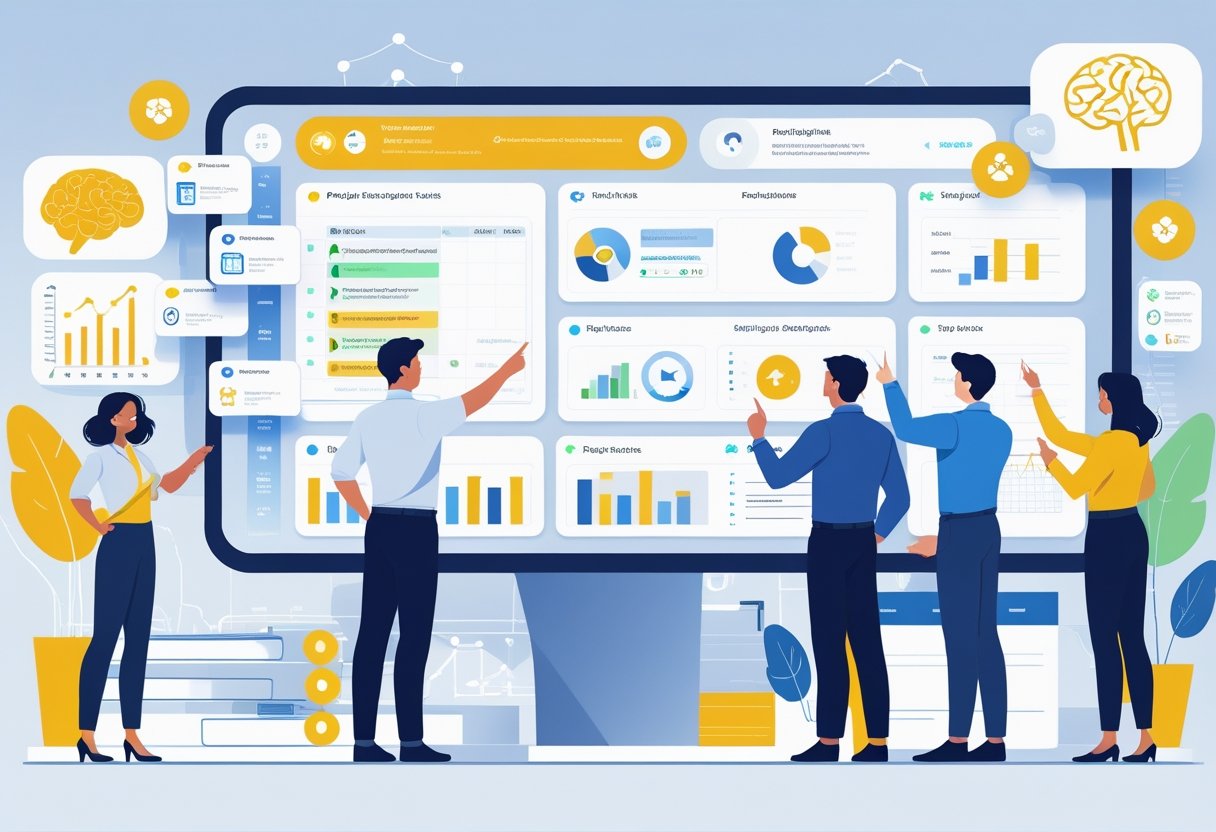
A group of professionals collaborating around a large digital display with project timelines and AI-generated data visualizations in a modern office.

AI enhances how teams plan and execute projects by automating scheduling, assigning tasks, managing resources, and tracking progress. It helps maintain clear project timelines, balances workloads based on team capacity, and improves project visibility. These tools reduce manual work and support better decision-making.

Project Scheduling and Timelines

AI-powered project scheduling tools analyze deadlines, task dependencies, and team availability to create accurate project timelines. They automatically adjust schedules when changes occur, like delays or added tasks, minimizing the risk of missed deadlines.

These tools also prioritize tasks based on urgency and resource availability, helping teams focus on what matters most. By integrating calendars and timelines, AI tools offer a clear visual overview of the project’s flow, enabling managers to foresee bottlenecks early and reallocate tasks quickly.

Automated reminders and updates keep the entire team aligned with real-time schedule changes, ensuring consistent progress.

Task Assignment and Tracking

AI streamlines the process of assigning tasks by analyzing each team member’s skills, current workload, and availability. It creates optimized task lists that improve efficiency and reduce bottlenecks.

Tracking tools powered by AI monitor task completion statuses continuously. They provide alerts on overdue or at-risk tasks, keeping project managers informed without constant manual checks.

AI can generate summaries of task updates, helping teams stay focused without reading through numerous messages. It also assists in writing clear, concise task descriptions and status reports, reducing communication errors.

Resource and Workload Management

Effective resource management relies on AI to match team capacity with project demands. AI tools predict workload distribution by evaluating task complexity and team availability, preventing burnout and underuse.

They enable managers to balance work by reallocating resources when schedules shift or projects expand. AI also supports budget control by linking resource use to costs, helping avoid overspending.

With real-time dashboards, project visibility improves, making it easier to track who is working on what and forecast future resource needs.

Milestones and Progress Tracking

AI-driven progress tracking creates automated reports on milestones and key deliverables. It compares actual performance against planned schedules to highlight any delays.

These tools generate clear visual summaries that show completed tasks, upcoming deadlines, and remaining work. This improves stakeholder communication and helps prioritize critical milestones.

AI also identifies risks early by analyzing project trends and patterns, enabling proactive management. Continuous updates and detailed recaps give teams the insights needed to stay aligned and meet goals on time.

Top AI Planning Tools for Projects and Tasks


AI planning tools help teams manage tasks efficiently by automating routine work and improving visibility into project progress. These tools often include features like task prioritization, real-time updates, and smart scheduling to keep projects on track. Many also offer flexible views and reporting options to fit different workflows and organizational needs.

Overview of Leading Platforms

Several AI-powered platforms are popular for project and task management. Asana and ClickUp stand out for their automation and AI-driven suggestions that improve task prioritization. Monday.com uses AI to predict project risks and optimize timelines, while Wrike offers smart workload management and custom workflows.

Jira focuses more on software teams, combining AI with agile practices. Trello and Taskade provide user-friendly Kanban setups enhanced with AI-powered task recommendations. Platforms like Smartsheet and Forecast integrate AI with strong resource and budget tracking.

Most of these platforms support mobile apps and external integrations, enabling teams to stay connected and manage projects from anywhere.

Kanban Boards and Gantt Charts

Kanban boards remain a favorite visual tool, widely used in Trello, ClickUp, and Taskade. These boards help users track task progress through drag-and-drop cards. AI features in these tools can automatically sort tasks by priority or deadline to reduce manual organizing.

Gantt charts are crucial for timeline tracking and resource allocation. Platforms like Smartsheet, Wrike, and Monday.com offer dynamic Gantt views that update automatically as tasks change. AI in these tools can forecast delays and suggest adjustments to keep deadlines realistic.

Both Kanban and Gantt views are often enhanced with additional features like timeline views and calendar syncing, helping teams visualize workloads across time and manage overlapping tasks clearly.

Custom Dashboards and Reporting

Customizable dashboards are essential for tracking key metrics and project health. Tools like Asana, ClickUp, and Wrike provide drag-and-drop dashboards that can display task statuses, team performance, or budget use. AI can highlight risks or bottlenecks in these views.

Reporting options vary but often include real-time updates, trend analysis, and exportable reports. AI-powered analytics help uncover hidden patterns, like recurring delays or task dependencies, enabling proactive decision-making.

Platforms increasingly allow users to tailor dashboards with widgets and integrations. This flexibility supports teams of all sizes and industries in focusing on what matters most at a glance.

Collaboration and Real-Time Coordination

Successful AI planning tools for projects focus heavily on helping teams work together instantly and clearly. They provide features that allow teams to see project progress live, share updates quickly, and keep tasks organized no matter where members are located.

Real-Time Collaboration Features

AI planning tools often include real-time dashboards that show project status and task completion as they happen. This boosts project visibility for managers and team members alike, helping spot delays early.

Many tools use drag-and-drop interfaces to move tasks between stages or assign new work. This makes updating plans fast and reduces confusion. Integrated timesheets and time tracking help teams log hours directly in the system, improving accuracy and simplifying reporting.

Document sharing and live editing features allow multiple team members to work on files simultaneously. This avoids version conflicts and speeds up feedback cycles, especially in design or content-heavy projects.

Team Communication Tools

Clear, instant communication is vital in project management. AI tools include built-in chat, comment threads, and discussion boards to keep all conversations tied to specific tasks or projects.

Some platforms allow creating channels for different teams or project topics to organize dialogue better. This helps reduce email usage and keeps conversations centralized.

Notifications and alerts update team members on task changes or deadlines. While useful, managing notification overload is key for maximizing focus and minimizing distractions.

Managing Projects On the Go

Mobile apps expand AI planning tools’ reach by enabling teams to check updates, manage tasks, and communicate from anywhere. This supports remote work and quick decision-making outside the office.

On mobile, users can view real-time dashboards and adjust schedules on the fly. Time tracking and timesheet submissions are often built in, ensuring accurate records regardless of location.

Mobile usability is critical; a clean, responsive interface helps users interact with complex project data easily. This flexibility keeps teams connected and productive throughout the project lifecycle.

Frequently Asked Questions

AI tools for project management help teams organize tasks, manage resources, and track progress with greater accuracy and speed. They often include automation, real-time collaboration, and smart scheduling features.

What are the top free AI tools available for project management?

There are several free AI-powered tools that assist with project management. Microsoft Planner offers AI features for task tracking and chatbot support. Trello provides automation through Butler, which helps with task management.

Other options include ClickUp and Asana, which have free versions with AI-enhanced features like smart notifications and workflow automation. These tools help teams stay organized without a subscription fee.

How can AI enhance project planning and execution?

AI improves project planning by forecasting risks and timelines using data analysis. It automates routine tasks such as updating schedules and assigning resources, saving time.

During execution, AI provides real-time insights on project status and potential bottlenecks. It also supports better communication by offering chatbots and smart reminders to keep teams on track.

What are the key features to look for in an AI project management tool?

Important features include task automation, resource optimization, timeline prediction, and integration with other software. AI-driven analytics and reporting help teams make informed decisions.

Real-time collaboration tools and AI-powered chatbots improve communication. Ease of use and adaptability to different project types also matter.

Are there any AI project management certifications available for professionals?

Yes, professionals can pursue certifications that focus on AI in project management. Organizations like PMI offer courses covering AI tools and digital project delivery.

These certifications teach how to apply AI techniques to improve project outcomes. They often include training on AI-driven software and data analysis.

Which AI task managers offer the best features without a subscription?

Free AI task managers such as Microsoft To Do and Google Tasks provide basic AI-driven organization. They integrate well with other productivity apps.

Trello's free plan with automation and ClickUp's free tier also offer strong AI capabilities. These tools allow users to manage tasks intelligently without paying.

What has been the experience of Reddit users with AI tools for project management?

Reddit users report varied experiences. Many appreciate AI features that reduce manual work and increase efficiency. However, some mention limitations in customization and occasional inaccuracies.

Users often recommend trying several tools to find the best fit for specific needs. Community feedback emphasizes the importance of easy integration and user-friendly design.

Monday, November 24, 2025

“The Ultimate AI Toolbox: The Best Tools for Text, Images, Video, and Automation in 2025”

The world of artificial intelligence is changing fast. New tools and platforms pop up every month. It's hard to pick the best ones for each task

Artificial intelligence is a field of computer science. It aims to make machines smart enough to do things humans do, like learn and solve problems. As machine learning gets better, AI is becoming key in many fields.

It's important to know the different types of AI tools and what they do. This helps people and companies use AI to boost their work, creativity, and automation.

Key Takeaways

  • AI is changing industries by doing tasks that humans usually do.
  • There are many AI tools out there, each for different tasks like text, images, video, and automation.
  • Knowing which tools fit which tasks is essential.
  • Machine learning is making AI even smarter.
  • AI tools can really help improve work, creativity, and automation.

The AI Revolution: Transforming Digital Work in 2025

In 2025, the AI revolution is changing digital work a lot. Artificial intelligence is now a key part of our daily work. It boosts productivity and creativity. AI tackles big challenges like medical research, supply chain efficiency, and climate change.

How AI Tools Are Reshaping Productivity

AI tools are changing how we work by automating simple tasks. This lets professionals focus on creative and strategic work. With automation, businesses can work better, make fewer mistakes, and be more efficient.

This change isn't just about speed. It's about making work more innovative and effective.

The Four Pillars of AI-Powered Creation

The base of AI creation has four main areas: text, images, video, and automation. Neural networks are key in improving these areas. They help make great content, edit images, create videos, and automate tasks.

These areas are changing the creative field. They offer new chances for professionals in many industries.

Navigating the AI Landscape: How to Choose the Right Tools

The AI world is huge and varied. It's key to know how to find your way. With machine learning and deep learning getting better, more AI tools are popping up.

Assessing Your Specific Needs

Before jumping into AI tools, figure out what you need. Think about what tasks you want AI to help with. Do you need better natural language processing for customer service or image recognition? Knowing what you need will help you find the right tool.

Free vs. Paid AI Tools: What's Worth It

Many AI tools have free versions or trials. Others cost money. It's important to weigh the cost against what you get. Free tools might not have as many features, but paid tools offer more and better support.

FeatureFree AI ToolsPaid AI Tools
Advanced FeaturesLimitedComprehensive
SupportCommunity-basedDedicated Support
ScalabilityLimitedHighly Scalable

Integration Capabilities to Consider

When picking AI tools, think about how well they work with your current systems. Good integration can make your work flow better. Look for tools that easily connect to your usual platforms.

https://www.youtube.com/watch?v=-FVl-hbBTOY

Text-Based AI Tools: The Foundation of Digital Creation

Text-based AI tools are changing how we make digital content. They help with writing, research, planning, coding, and talking to others.

ChatGPT: The Versatile Assistant

ChatGPT is a smart AI chatbot from OpenAI. It can understand and create text like a human. It's good for many tasks.

Key Features and Capabilities

  • Advanced natural language understanding
  • Ability to generate coherent, context-specific text
  • Supports multiple languages

Best Use Cases

  • Content creation and editing
  • Research assistance
  • Coding help and debugging

Claude: The Nuanced Communicator

Claude is a smart AI chatbot known for its detailed communication. It gets the context and answers well.

Key Features and Capabilities

  • Highly contextual understanding
  • Ability to engage in detailed conversations
  • Customizable tone and style

Best Use Cases

  • Customer service and support
  • Content generation for specific audiences
  • Complex problem-solving discussions

Gemini: Google's Multimodal Marvel

Gemini is Google's new AI model. It's great at handling text, images, and other media.

Key Features and Capabilities

  • Multimodal processing and generation
  • Integration with Google services
  • Advanced machine learning algorithms

Best Use Cases

  • Multimedia content creation
  • Cross-platform content integration
  • Advanced data analysis and visualization

These AI tools are changing how we make and use digital content. Knowing what they can do helps us work better and be more creative.

Specialized Text AI Tools for Professional Tasks

AI is changing how we work with specialized text AI tools. These tools make our jobs easier, help us work faster, and improve what we do. They are used in many fields.

Jasper: The Content Marketing Specialist

Jasper is a top AI tool for content creators. It uses cognitive computing and neural networks to make great content.

Key Features and Capabilities

  • Creates content for blogs, articles, and social media
  • Helps with SEO suggestions
  • Works in many languages

Best Use Cases

Jasper is great for teams that make content, bloggers, and businesses wanting more content. For example, a marketing team can make many social media posts with Jasper.

"Jasper has been a game-changer for our content creation process, allowing us to produce high-quality content at scale." - Marketing Manager, XYZ Corporation

Copy.ai: The Conversion Copywriting Expert

Copy.ai is a tool that makes marketing copy better. It uses automation to create content that gets results.

Key Features and Capabilities

  • Makes marketing copy for ads, emails, and landing pages
  • Let's you choose the tone and style
  • Works with popular marketing tools

Best Use Cases

Copy.ai is perfect for marketers and businesses wanting better copy. For example, an online store can use it to write product descriptions that sell more.

Grammarly AI: Beyond Grammar Checking

Grammarly AI does more than check grammar. It improves writing by making it clearer, better in tone, and more stylish.

Key Features and Capabilities

  • Checks grammar and spelling deeply
  • Offers style and tone advice
  • Finds plagiarism

Best Use Cases

Grammarly AI is great for anyone who writes a lot, like writers, editors, and business people. For example, a business person can use it to make a report or proposal better.

ToolPrimary FunctionKey Features
JasperContent GenerationSEO optimization, multi-language support
Copy.aiCopywritingCustomizable tone, integration with marketing tools
Grammarly AIWriting EnhancementAdvanced grammar checking, style suggestions
Specialized Text AI Tools

These AI tools are changing work for the better. They help us do routine tasks faster, work better, and make top-notch content. By using cognitive computing and neural networks, they are making work easier and more efficient.

AI Image Generation: Turning Imagination into Visual Reality

AI image generation is changing the world of art and design. It lets artists and designers turn their ideas into real images. Tools like Midjourney, DALL·E 3, and Leonardo AI make it easy to create unique and high-quality images.

Midjourney: The Artist's AI Companion

Midjourney is known for making art from text prompts. It's great for those who want to try new styles or create concept art.

Key Features and Capabilities

Midjourney can create images in many styles and at high resolutions. Its versatility makes it a top choice for digital artists.

Best Use Cases

It's perfect for artists who want to explore new styles or make concept art. The tool's ability to make high-quality images quickly speeds up the creative process.

DALL·E 3: OpenAI's Visual Powerhouse

DALL·E 3 is famous for making very realistic images. It's a powerful tool for many uses.

Key Features and Capabilities

It can create complex scenes with many objects and detailed lighting. Its advanced computer vision capabilities are impressive.

Best Use Cases

DALL·E 3 is ideal for making highly realistic images. This is useful for advertising or showing off products. Its ability to make photorealistic images is unmatched.

Leonardo AI: The Specialized Illustrator

Leonardo AI is great at making illustrations in specific styles and themes. It meets the needs of illustrators and designers.

Key Features and Capabilities

It offers detailed control over the images it creates. This level of control is very valuable for professionals.

Best Use Cases

Leonardo AI is perfect for illustrators and designers who need to create consistent, stylized images. Its abilities make it a top choice for projects with a specific look.

AI Tools for Image Editing and Enhancement

AI-powered image editing tools are changing how we work with visual content. These tools use artificial intelligence and deep learning. They give professionals new ways to edit and enhance images.

Adobe Firefly: Professional-Grade AI Editing

Adobe Firefly is a top AI tool for editing. It uses computer vision to edit images with great accuracy.

Key Features and Capabilities

  • Advanced content-aware editing
  • AI-driven image enhancement
  • Seamless integration with Adobe Creative Cloud

Best Use Cases

  • Professional photo editing
  • Graphic design
  • Visual content creation

Runway: The Visual Effects Specialist

Runway is an AI tool for visual effects and advanced editing. It has features for professionals in film, TV, and ads.

Key Features and Capabilities

  • Advanced object removal and manipulation
  • AI-powered color grading
  • Real-time collaboration tools

Best Use Cases

  • Film and television post-production
  • Advertising and marketing visuals
  • High-end visual effects

Luminar Neo: Photography Enhancement AI

Luminar Neo is an AI tool for photographers. It uses deep learning to improve and change images.

Key Features and Capabilities

  • AI-powered image enhancement
  • Advanced layering and masking
  • Creative filters and effects

Best Use Cases

  • Professional photography
  • Landscape and nature photography
  • Portrait retouching

These AI tools are changing the industry. They offer powerful, easy-to-use solutions. With artificial intelligence and computer vision, users can get amazing results.

Video Creation AI: The New Frontier of Content

AI is changing how we make videos. It's making videos better and easier to make for everyone. This is thanks to artificial intelligence in video making.

Runway Gen-2: Video Generation Pioneer

Runway Gen-2 leads in AI video making. It can make great videos from just text prompts. This is a big help for creators.

Key Features and Capabilities

  • Text-to-video generation
  • Advanced video editing capabilities
  • Integration with other creative tools

Best Use Cases

  • Creating promotional videos
  • Producing social media content
  • Developing educational materials

Synthesia: The Virtual Presenter Creator

Synthesia makes virtual presenters with AI. It lets users make professional-looking presenters easily. No need for a lot of video making skills.

Key Features and Capabilities

  • Customizable virtual presenters
  • Multi-language support
  • Easy integration with existing content

Best Use Cases

  • Corporate training videos
  • Explainer videos
  • Personalized customer communications

Descript: The All-in-One Video Editor

Descript is a smart video editor with AI. It makes editing easier and faster for creators.

Key Features and Capabilities

  • AI-driven editing suggestions
  • Transcription services
  • Collaboration tools

Best Use Cases

  • Podcast editing
  • Video post-production
  • Content repurposing

The future of video making is bright with AI and automation. As these techs get better, we'll see even more advanced tools. These tools will make making videos easier and better.

AI for Business Automation: Streamlining Workflows

Advanced AI technologies have changed the game for companies. They can now automate tasks that take up too much time. This frees up resources for more important work. AI tools are key in today's fast world, helping businesses work better and faster.

Zapier: The Integration Specialist

Zapier is a top tool for automating tasks. It connects different apps and services, making workflows unique. With over 3,000 integrations, it's a go-to for automating tasks.

Key Features and Capabilities

  • Multi-step Zaps for complex workflows
  • Filters and paths for conditional logic
  • Built-in apps for formatting and manipulating data

Best Use Cases

  • Automating lead generation and follow-up
  • Syncing data across different platforms
  • Streamlining customer support processes

Make (formerly Integromat): Visual Automation Builder

Make is a visual platform for automating tasks. It lets users build complex workflows without coding. Its easy-to-use interface is great for both tech-savvy and non-tech users.

Key Features and Capabilities

  • Visual scenario builder for easy workflow creation
  • Support for over 1,000 apps and services
  • Advanced data processing and manipulation

Best Use Cases

  • Automating e-commerce order fulfillment
  • Creating complex data pipelines
  • Integrating multiple business applications

Notion AI: The Workspace Enhancer

Notion AI is a workspace that does it all. It's for note-taking, project management, and database creation. It boosts productivity by automating tasks and giving AI insights.

Key Features and Capabilities

  • AI-assisted writing and content creation
  • Customizable templates for various tasks
  • Integration with other Notion features

Best Use Cases

  • Streamlining project management
  • Enhancing team collaboration
  • Automating routine tasks
ToolPrimary FunctionKey Benefit
ZapierIntegration and AutomationConnects multiple apps and services
MakeVisual AutomationCreates complex workflows visually
Notion AIWorkspace EnhancementCombines productivity features with AI

https://www.youtube.com/watch?v=AewmPhvS3_w

AI-Powered Analytics and Data Tools

Businesses today deal with huge amounts of data. AI analytics tools are key to finding valuable insights in this data. They use machine learning and cognitive computing to understand complex data, spot patterns, and predict outcomes.

Obviously AI: No-Code Machine Learning

Obviously AI is a platform that lets users create and use AI models easily. It's great for companies that want to start using AI fast.

Key Features and Capabilities

  • Easy data upload and preparation
  • No-code model building and training
  • Deployment options for various business needs

Best Use Cases

  • Predictive analytics for sales forecasting
  • Customer segmentation and personalization
  • Automated decision-making processes

MonkeyLearn: Text Analysis Specialist

MonkeyLearn is a tool for analyzing text data with AI. It's perfect for understanding customer feedback, sentiment, and text types.

Key Features and Capabilities

  • Text classification and sentiment analysis
  • Entity recognition and extraction
  • Customizable models for specific business needs

Best Use Cases

  • Analyzing customer reviews and feedback
  • Sentiment analysis for social media monitoring
  • Automated ticket categorization for customer support

Akkio: Fast AI Deployment for Business

Akkio is an AI platform for quick AI model deployment in businesses. It aims to provide insights and automate decisions.

Key Features and Capabilities

  • Rapid model deployment and integration
  • Real-time data processing and insights
  • Customizable AI models for various business applications

Best Use Cases

  • Real-time sales forecasting and optimization
  • Dynamic pricing and inventory management
  • Personalized customer experiences through AI-driven recommendations

These AI tools are changing how businesses analyze data. They help make better decisions and grow by using data insights.

Ethical Considerations in AI Tool Usage

AI tools are now key in our digital lives. We must think about their ethical use. The use of artificial intelligence in many areas brings up big concerns. We need to handle these to use AI responsibly.

AI ethics

Data Privacy and Security Concerns

Handling user data is a big ethical issue. AI tools need lots of data to work well. This raises data privacy and security concerns.

It's important to protect this data and use it right. Companies should have strong security and be clear about data use.

Addressing Bias in AI Outputs

AI can show biases from the data it's trained on. It's key to address these biases. Developers and users must know about this and work to fix it.

This can be done by using diverse data and checking AI outputs for bias often.

Responsible AI Implementation Practices

Organizations should use responsible AI practices. This means being open about AI use, taking responsibility for AI decisions, and checking AI for ethics. This way, we can use AI's benefits while avoiding its downsides.

Building Your Personal AI Stack: Recommended Combinations

In 2025, having a personal AI stack is key for better productivity and creativity. It's important to pick the right AI tools for your needs.

For Content Creators and Marketers

Content creators and marketers can use ChatGPT for writing, Jasper for marketing texts, and Midjourney for visuals. This mix makes creating content easier.

For Designers and Visual Artists

Designers and artists can use DALL·E 3 for images, Adobe Firefly for editing, and Runway for videos. This stack helps make top-notch visual content.

For Business Owners and Entrepreneurs

Business folks can use Zapier for workflow automation, Notion AI for workspace improvement, and Obviously AI for data analysis. This combo makes business smoother and decisions better.

ProfessionRecommended AI Tools
Content Creators & MarketersChatGPT, Jasper, Midjourney
Designers & Visual ArtistsDALL·E 3, Adobe Firefly, Runway
Business Owners & EntrepreneursZapier, Notion AI, Obviously AI

Creating a custom AI stack boosts productivity and creativity for both individuals and businesses.

Conclusion: Mastering Your AI Toolbox

Mastering your AI toolbox is key in today's fast world. Artificial intelligence keeps growing, bringing new tools and ways to work and create.

Understanding the wide range of AI tools is important. This includes machine learning for predictions and cognitive computing for thinking like humans.

Using the right AI tools can make work easier, boost creativity, and spark new ideas. Keeping up with AI's growth is essential to get the most out of it.

Seeing AI as a tool for growth and change is important for success. As AI becomes more part of our lives, it will change how we work, create, and stay productive.

FAQ

What is the importance of understanding AI in various industries?

Knowing AI is key because it changes how we work and create. It's vital to understand AI to stay ahead in your field.

What are the four pillars of AI-powered creation?

The four main areas of AI creation are text tools, image making, video creation, and business automation. These areas are changing how we work and make content.

How do I choose the right AI tools for my needs?

First, think about what you need. Then, look at free and paid options. Make sure they work well together for the best results.

What are some popular text-based AI tools?

Tools like ChatGPT, Claude, and Jasper are popular for text tasks. They help with writing, grammar, and more.

What are the benefits of using AI image generation tools?

Tools like Midjourney and DALL·E 3 turn ideas into pictures. They're great for creative work in many fields.

How can AI tools enhance video creation?

Tools like Runway Gen-2 make video making easier. They help with creating videos, editing, and more.

What are the advantages of using AI for business automation?

Tools like Zapier make work flow better. They help with tasks, making work more efficient and freeing up time for important tasks.

How can AI-powered analytics and data tools benefit businesses?

Tools like Obviously AI give insights and help with machine learning. They make it easier to make smart choices.

What are the key ethical considerations when using AI tools?

It's important to protect data and avoid bias. Using AI responsibly is key to trust and success.

How can I build a personal AI stack tailored to my profession?

Think about what you need for your job. Look at AI tools for your field to boost your work.

What is the significance of mastering your AI toolbox?

Knowing your AI tools well keeps you updated. It helps you use AI to its fullest and stay ahead.

What is the role of deep learning and neural networks in AI?

Deep learning and neural networks help AI learn and understand. They're key for tasks like image and speech recognition.

How does natural language processing (NLP) contribute to AI?

NLP lets machines understand and create human language. It's used in chatbots, translation, and more.

What is cognitive computing, and how does it relate to AI?

Cognitive computing simulates human thinking in computers. It's closely tied to AI, using AI to mimic human thought.

How can automation driven by AI impact industries?

AI automation can change industries by making work more efficient. It saves costs and boosts productivity.

What is machine learning, and how is it used in AI tools?

Machine learning trains algorithms to make predictions. It's used in AI for tasks like analytics and recommendations.